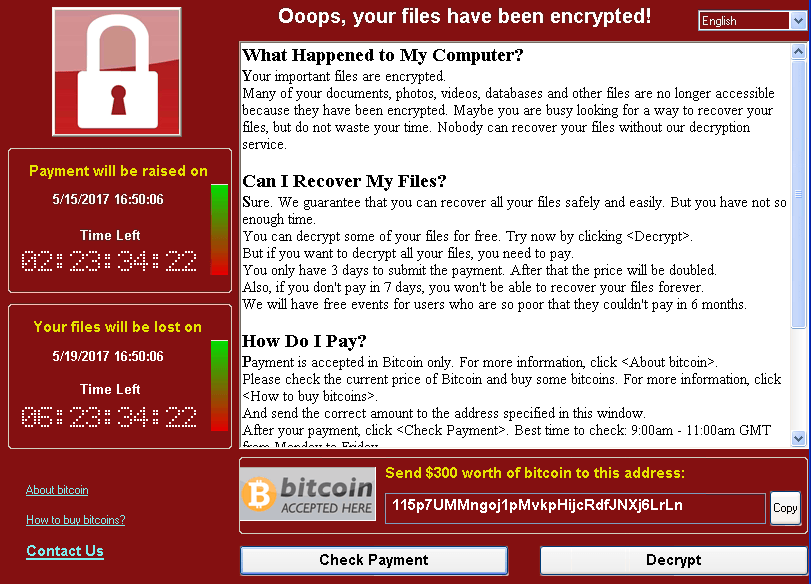
Recently, the world was reminded of the impact that a simple piece of commodity malware can have when paired with a remotely exploitable vulnerability. WannaCrypt, a ransomware worm first seen en masse on May 12, 2017, demonstrated that although we have come a very long way in information security, we still have many improvements to make. To better understand the situation, let’s take a look at ransomware’s origins.
AidsInfo
WannaCrypt follows in the footsteps of a large number of ransomware predecessors. The earliest recorded ransomware malware is the AIDSInfo Trojan, first seen around December of 1989. A pioneer of its time, AIDS Info was distributed on floppy disks and would randomly choose when to infect its host. When it did, the malware would replace the AUTOEXEC.BAT file on the target (a batch file that specified the boot order of a DOS machine) with itself, then encrypted the names and hid non-essential files. The ransom portion? AIDS Info included a EULA which demanded payment of $189 or $378 for licensing of the malware to PC Cyborg Corporation.
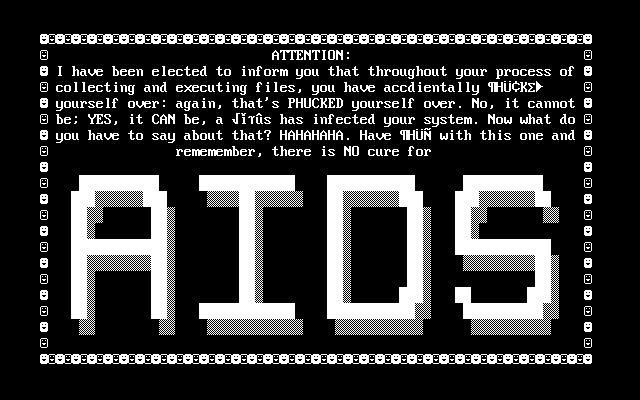
Truly, malware that encrypts only file names is less devastating than one that destroys the data itself – but for the time, it was highly impactful. A better example of ransomware would be the famous Cryptolocker. This malware began widespread distribution in late 2013 and was spread as an e-mail attachment.
Cryptolocker
Cryptolocker was significant in a number of ways. First, it used asymmetric cryptography to encrypt the target’s data. For those who are unfamiliar, asymmetric cryptography uses a pair of mathematically related keys whereby data encrypted with one part of the key pair can only be decrypted with the corresponding paired key.
Second, the dawn of bitcoin enabled untraceable financial transactions. This means that money transferred between Cryptolocker victims and the hacking group were processed covertly, thus making it difficult to track the attackers.
Last, servers used to interact with the users were hosted using a network tunneling solution known as Tor. This means that the server’s real address information was rendered untraceable, thus enabling the attackers to remain hidden while negotiating with victims.

SamSam \ Samas
While effective, Cryptolocker still required the victim to initiate the malware – typically through opening a malicious e-mail attachment. In early 2016, a hacking group created a new ransomware variant that was spread manually by breaking into the target’s network and distributing the executable – commonly through use of PSExec. This malware, known as SamSam or Samas, began by targeting hospitals.
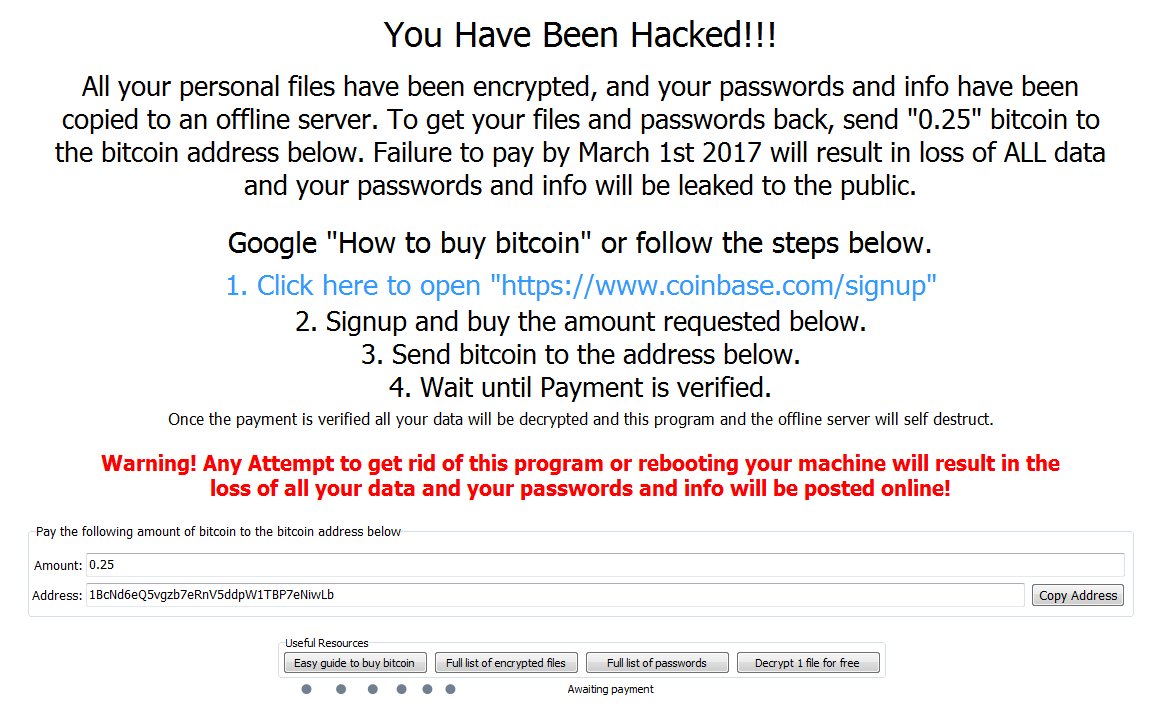
SamSam initially identified that there were numerous servers throughout the internet that remained vulnerable to a long-patched vulnerability in JBoss – a suite of middleware capabilities commonly used in Java development efforts. The vulnerability targeted by SamSam, CVE-2010-0738, had been long identified and patched by the time the SamSam group began exploiting it for ransomware distribution. Initial targets for SamSam were primarily hospitals and medical facilities; however, the group later moved to breaking into servers that exposed remote desktop protocol (RDP) to the Internet.
SamSam changed the game in that it was the first major ransomware variant to actively exploit vulnerabilities in an enterprise for purposes of distribution. Much like Cryptolocker, payments were made using bitcoin to a server hosted on the Tor network.
WannaCrypt

Today, we are dealing with a new evolution in ransomware – WannaCrypt is the first self-replicating (worm) ransomware variant. Worm capability for this malware is provided through exploitation of a recently disclosed vulnerability to the SMB protocol, exposed in a dump of hacking tools allegedly developed by the NSA. The vulnerability, addressed by bulletin MS17-010, provided remote code execution to anonymous users over the SMB protocol.
The worm capability enabled WannaCrypt to spread very quickly – impacting thousands of machines in less than a day. Despite the patch being published two months prior, WannaCrypt brought to light the large number of machines that were not up to date.
Lessons Learned
Ransomware has taught us some painful lessons in the past; however, we seem to remain susceptible to new variants. Here are a few lessons we should all impart to limit the impact of ransomware in the future.
Keep up-to-date on patches
Both SamSam and WannaCrypt exploited vulnerabilities that had already been patched. Keeping your systems up-to-date reduces their susceptibility to attack.
Additionally, be sure to implement a patch management strategy for all software in your environment. Software with remotely exploitable vulnerabilities may yield the ability to execute code up to the privilege level that the vulnerable process executes under. If that process can write to a file, so can ransomware.
Limit excessive user permissions
A standard user can encrypt any file that they have write access to – whether it is on their system or not. As such, ransomware can infect a single host and encrypt files on a file server. Limiting where users are able to write protects those files from tamper in the event of a ransomware attack.
Ensure antimalware is up-to-date
Many ransomware variants are identified and addressed by antimalware technologies rapidly; however, if antivirus definitions are out-of-date your machine remains susceptible to attack.
Additionally, some antimalware companies, such as Microsoft, offer up to the second protection against malware that may not be in the machine’s signature files. One example of this is Microsoft Active Protection Service (MAPS) which checks suspicious files against the cloud to determine if they reside in newly published signatures.
Always have a backup
Backups are very important when recovering from a ransomware attack. Additionally, ensure that an offline backup of highly valuable data is performed periodically – attackers have been known to destroy online backups.
Limit network-accessible ports
WannaCrypt requires a vulnerable instance of Windows’ SMB service to propagate using its worm capability. Using the Windows Firewall to block SMB connections when they are not needed can limit the exposure of your endpoints.
Prevent execution of unapproved executables
In most cases, ransomware is invoked by a user running software obtained from an untrusted source, such as an e-mail attachment. Allowing users to run code arbitrarily downloaded from the Internet poses a risk to any writeable data store.
To reduce this risk, consider preventing execution of programs from directories where users have write permissions using a capability such as Microsoft AppLocker. This approach takes time and testing, but limiting locations where programs can be executed will ultimately protect your organization and its data from an unknowing user putting it at risk.
References
DISCLAIMER: Opinions and statements made within this article are solely the opinion of the author and do not reflect those of his employer of their affiliates.


 Michael Melone